Are you searching for the best free AI video editing tools that can make your content go viral? 🎥✨ Whether you are a YouTuber, Instagram creator, TikTok influencer, or a business owner, using AI-powered editors saves time, enhances quality, and boosts creativity.
In this guide, we’ve listed 100+ free AI video editing tools with features, benefits, and links — all in one place.
Why Use AI Video Editing Tools?
- Automatic Editing – AI cuts, trims, and aligns clips perfectly.
- Speech-to-Text & Subtitles – Generate captions instantly.
- AI Voiceovers & Dubbing – Convert scripts into professional voiceovers.
- Background Removal – No green screen needed, AI removes or changes background.
- Social Media Optimization – Resize videos for YouTube, Instagram, TikTok, and more.
- Creative Effects – Add transitions, filters, music, and templates with AI.
Top Free AI Video Editing Tools
Here’s a comprehensive table of 100+ Free AI Video Editing Tools. We’ve included key features and free tier details. (Note: Some lists overlap; we’ve deduplicated where possible. If a tool’s free status is “trial,” it’s time-limited but no-cost to try.)
| # | AI Video Editing Tool Name | Key Features | Free Tier Details |
|---|---|---|---|
| 1 | Eddie AI (HeyEddie.ai) | Logs footage, creates rough cuts, transcribes, multi-cam editing. | Free tier with 2 exports/month. |
| 2 | Descript (Underlord) | Text-based editing, removes filler words, AI avatars, eye contact fix. | Free plan limited; Underlord free. |
| 3 | Electric Sheep | Generative AI, agentic editing, VFX like rotoscoping. | Free trial with 150 credits. |
| 4 | Spingle AI | Cleans raw footage, culls unusable parts, b-roll search. | Beta access (free during beta). |
| 5 | AutoPod | Multi-cam cuts, silence removal for podcasts. | Free trial (first month free). |
| 6 | Runway (Runway ML) | Motion brush, inpainting, precision editing, image-to-video. | Free tier with 125 credits. |
| 7 | PixVerse | Add voices/sound effects, upscale, extend clips, restyle. | Free 60 credits daily. |
| 8 | Kling AI | Element control for consistency, animate props. | Free 166 credits monthly. |
| 9 | OpusClip | Clip generation, resizing for social, captions/emojis. | Free trial (limited clips). |
| 10 | Munch | Detects key moments, auto-crops, subtitles. | Free trial. |
| 11 | Wisecut (Wise Cut) | Cuts interesting moments, music/subtitles, noise cancel. | Free plan. |
| 12 | CapCut | Background removal, transcription, stabilization, templates. | Fully free all-in-one tool. |
| 13 | Filmora | Cutout, motion tracking, silence detection, denoise. | Free trial. |
| 14 | Adobe Podcast Enhance | Audio improvement, noise removal, speech enhance. | Free. |
| 15 | Gling AI | Removes silences/mistakes, captions, noise reduction. | Free. |
| 16 | OpenShot | Drag-and-drop, audio adjustments, format support. | Fully free open-source. |
| 17 | Veed.io | Drag-and-drop, animations, templates. | Free limited. |
| 18 | Aivo AI | Scene detection, color correction, smart cropping, audio enhance. | Free. |
| 19 | DaVinci Resolve | Color correction, VFX, 8K editing, neural engine. | Free version with most features. |
| 20 | Synthesia AI | Avatars, text-to-speech, backgrounds. | Free plan. |
| 21 | YouCam Video | Enhancer, face retouch, filters, background removal. | Free plan. |
| 22 | Spike Studio | Convert raw to shorts, customizable avatars. | Free basic. |
| 23 | VMake AI | Quality enhancer, filler removal, green screen. | Free plan. |
| 24 | Renderforest | Video generation, text-to-video, templates. | Free limited. |
| 25 | Invideo AI | Edit via text commands, swap media, change scenes. | Free to use. |
| 26 | Vmaker AI | Long-to-short, subtitles, background remover. | Free plan. |
| 27 | Podcastle | Enhancer, multi-track, captions, publishing. | Free limited. |
| 28 | Deepbrain AI | ChatGPT integration, avatars, templates. | Free trial. |
| 29 | Hippo Video | Filler removal, summaries, chapters. | Free trial (part of package). |
| 30 | FlexClip | Text-to-video, subtitles, noise reducer. | Free limited credits. |
| 31 | Yuzzit | Live clipping, summary, publishing. | Free trial. |
| 32 | Eklipse | Browser-based, importing/editing/sharing. | Free base (watermarks). |
| 33 | Vimeo | Templates, photo-to-video, effects. | Free plan. |
| 34 | Wideo | Animation, templates, text editing. | Free trial. |
| 35 | Pictory | Short videos, script-to-video, captions. | Free trial. |
| 36 | Raw Shorts | Scan/analyze, animation, editor. | Free version/trial. |
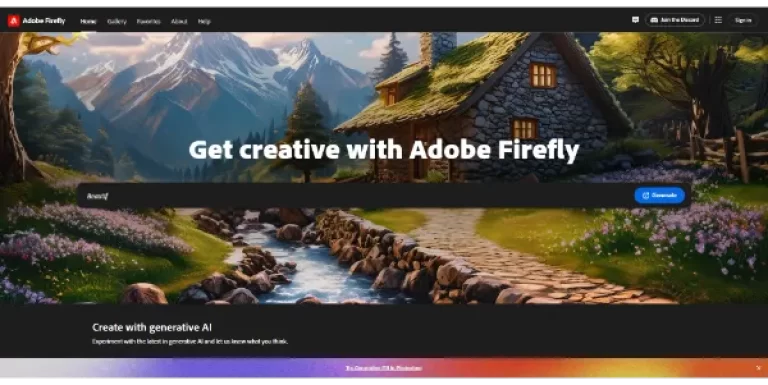
| 37 | Adobe Fireflies | Short video generation. | Free limited videos. |
| 38 | Prome AI | Short clip generation. | Free no paywall. |
| 39 | Artilist | Image-based videos. | Free (no download). |
| 40 | Kreado AI | Presentations with voices/slides. | Free. |
| 41 | Genape | Text/image to video. | Free. |
| 42 | iShowU | Background removal, screen recording. | Free trial via Setapp. |
| 43 | Keep It Shot | Screenshot organization (for video assets). | Free trial via Setapp. |
| 44 | Plus | Scriptwriting suggestions. | Free trial via Setapp. |
| 45 | Gemini | Duplicate detection for file management. | Free trial via Setapp. |
| 46 | Flixier | Video drafts from prompts, visuals. | Free trial. |
| 47 | Mac Custom GPT (ChatGPT) | Tool suggestions for editing. | Free. |
| 48 | Aeon | Storyboard, cropping, voice customization. | Free trial (assumed from context). |
| 49 | Lumen5 | Text analysis for visuals/music. | Free limited. |
| 50 | HeyGen | Avatars, multilingual voices. | Free trial. |
How to Choose the Best Free AI Video Editing
- Budget Friendly: Check free vs. premium features.
- Ease of Use: Beginners need drag-and-drop tools.
- AI Features: Look for text-to-video, captions, voiceovers.
- Platform Compatibility: Works on mobile, desktop, or web.
- Output Quality: Ensure HD/4K exports.
- For Beginners: CapCut or Veed.io—simple interfaces.
- For Pros: DaVinci Resolve or Runway—advanced AI.
- For Podcasts: Descript or Gling AI—audio focus. Test a few based on your needs, like mobile vs desktop.